Configuring EC2 Instances Using Ansible Dynamic Inventory

Dynamic Inventory, it’s easy, yeah I already tried on AWS EC2, you just follow.
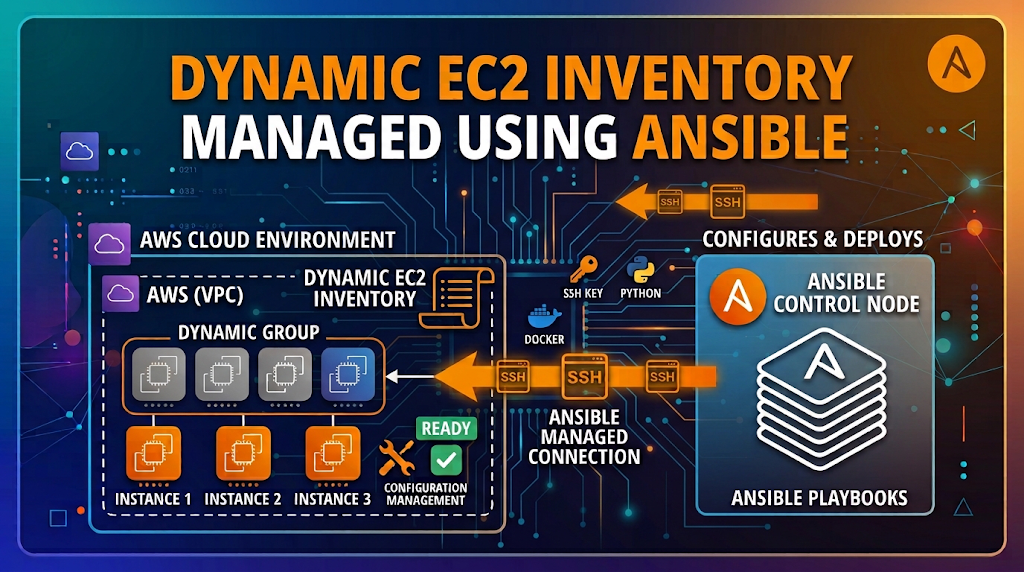
I used to keep my EC2 IP addresses in an Ansible hosts file. Then one day I stopped a server and started it again, it got a new public IP, and Ansible happily tried to SSH into nothing. Writing IPs by hand for servers that keep changing is a losing game. So let Ansible ask AWS directly who is alive right now. That is dynamic inventory.
Why Not A Static Inventory
| Problem | What Happens |
|---|---|
| Servers come and go | Auto Scaling, Spot instances, test servers, they appear and vanish all day |
| IPs change | Stop and start a normal EC2 and the public IP is different |
| Manual editing | Somebody always forgets to update the file |
With dynamic inventory you don’t type any IP. You put tags on your servers in AWS, and Ansible finds them by tag every time you run.
How It Works
Ansible uses the amazon.aws.aws_ec2 plugin. It calls the AWS API (using Python boto3), builds the inventory in memory, keeps only what you asked for, and runs your playbook against that. Run it again later and you may get a totally different list. That is why it is “dynamic”.
    flowchart LR
    run["ansible-playbook"] --> plugin["aws_ec2 plugin"]
    plugin -->|boto3 API call| aws["AWS EC2 API"]
    aws --> filt["Filters: Type + Env"]
    filt --> grp["Groups: frontend, backend"]
    grp --> target["Playbook Targets"]
Note
AWS authentication is not part of this post. I assume you are already logged in (profile, environment variables, whatever you use). You also need boto3 and the amazon.aws collection. If you installed the full ansible package the collection is already there, otherwise:
pip install boto3 botocore
ansible-galaxy collection install amazon.aws
The Inventory File
# Fetch all dev frontend/backend hosts in ap-south-1.
# Hostname is the public DNS name if it exists, otherwise the private IP.
plugin: amazon.aws.aws_ec2
regions:
  - ap-south-1

hostnames:
  - dns-name
  - private-ip-address

filters:
  tag:Type:
    - frontend
    - backend
  tag:Env:
    - dev

groups:
  frontend: "ec2_tags.Type == 'frontend'"
  backend: "ec2_tags.Type == 'backend'"

compose:
  ansible_user: "'ubuntu'"
Warning
The file name must end with aws_ec2.yml (or aws_ec2.yaml). Name it anything else and Ansible won’t treat it as an EC2 inventory.
Every key has a reason to be there:
| Key | What It Does | Why I Added It |
|---|---|---|
plugin | Tells Ansible to use the EC2 plugin | Without it, it is just a random yaml file |
regions | Looks only in ap-south-1 (Mumbai) | No need to scan all regions |
hostnames | Names each host by public DNS, or private IP if there is none | Readable names, and a fallback for servers with no public DNS |
filters | Decides which instances are picked | Only frontend or backend servers, and only in dev |
groups | Puts instances into Ansible groups by tag | Playbooks target frontend and backend groups |
compose | Sets host variables, here ansible_user | So Ansible knows which user to SSH with |
Now the story behind the three interesting ones.
Why Groups
My playbooks say hosts: frontend and hosts: backend. Ansible expects groups with exactly those names to exist in the inventory. AWS has no idea about Ansible groups, so groups is the bridge: “if the tag Type is frontend, put this server in the frontend group”.
Why Filters
Filters make sure only the right servers take part. We want frontend or backend servers, and only those in dev.
| Rule | How Filters Treat It |
|---|---|
Values under the same tag (frontend, backend) | OR, either one is fine |
Different tags (Type and Env) | AND, both must match |
So a frontend server in prod is left out.
Tip
Stopped servers (and recently terminated ones) can still show up in the list. Add instance-state-name: [running] under filters if you only want live ones.
Why Compose
compose sets ansible_user, so Ansible logs in as ubuntu. Honestly, you can leave it out. This kind of thing is often kept in a host_vars or group_vars directory, or in the Ansible config file. I put it here so everything lives in one file.
Warning
Values in compose are expressions, not plain text. That is why it is "'ubuntu'" (quotes inside quotes). If you write just ubuntu, Ansible looks for a variable named ubuntu, doesn’t find it, and the setting is silently skipped.
The Playbooks
Nothing special here, just install something so we can see the targeting work:
- name: Frontend Setup
  hosts: frontend
  become: true
  tasks:
    - name: Install nginx
      ansible.builtin.apt:
        name: nginx
        state: present
        update_cache: true
cache_valid_time: 3600- name: Backend Setup
hosts: backend
become: true
tasks:
- name: Install python3
ansible.builtin.apt:
name:
- python3
state: present
update_cache: true
cache_valid_time: 3600Side Note: Demo Servers With Terraform
You need servers with the right tags to try this. You can click them in the console or use the AWS CLI. I used Terraform because it makes changing a tag a one-command job, and you can see the inventory react.
terraform {
  required_providers {
    aws = {
      source  = "hashicorp/aws"
      version = "~> 6.0"
    }
  }
}

resource "aws_instance" "fend" {
  ami                    = "ami-01a00762f46d584a1"
  instance_type          = "t3.nano"
  key_name               = "ec2-key"
  vpc_security_group_ids = ["sg-0f67f474be904cb21"]

  tags = {
    Type = "frontend"
    Env  = "dev"
  }
}

resource "aws_instance" "bend" {
  ami                    = "ami-01a00762f46d584a1"
  instance_type          = "t3.nano"
  key_name               = "ec2-key"
  vpc_security_group_ids = ["sg-0f67f474be904cb21"]

  tags = {
    Type = "backend"
    Env  = "dev"
  }
}
terraform init
terraform applyWarning
The AMI, key pair and security group above are mine. Replace them with yours. The AMI must be an Ubuntu image from ap-south-1, because we log in as ubuntu and use apt. The security group must allow SSH (port 22) from your machine. The region comes from your AWS config, not from this file.
Build The Inventory
Ask Ansible what it found:
ansible-inventory -i inventory.aws_ec2.yml --graphOutput looks like this (the names will be your own DNS names):
@all:
  |--@ungrouped:
  |--@aws_ec2:
  |  |--ec2-13-233-10-21.ap-south-1.compute.amazonaws.com
  |  |--ec2-65-0-44-107.ap-south-1.compute.amazonaws.com
  |--@backend:
  |  |--ec2-65-0-44-107.ap-south-1.compute.amazonaws.com
  |--@frontend:
  |  |--ec2-13-233-10-21.ap-south-1.compute.amazonaws.com
Two servers, each in the right group. The aws_ec2 group is made by the plugin and holds everything it found.
Check that ansible_user really got set on a host:
ansible-inventory -i inventory.aws_ec2.yml --host ec2-13-233-10-21.ap-south-1.compute.amazonaws.com | grep ansible_user "ansible_user": "ubuntu",Apply The Playbooks
ansible-playbook -i inventory.aws_ec2.yml --private-key ~/.ssh/ec2-key.pem frontend.yaml
ansible-playbook -i inventory.aws_ec2.yml --private-key ~/.ssh/ec2-key.pem backend.yaml
Change the key path to wherever your .pem file is. The frontend run looks like this:
PLAY [Frontend Setup] **************************************************

TASK [Gathering Facts] *************************************************
ok: [ec2-13-233-10-21.ap-south-1.compute.amazonaws.com]

TASK [Install nginx] ***************************************************
changed: [ec2-13-233-10-21.ap-south-1.compute.amazonaws.com]

PLAY RECAP *************************************************************
ec2-13-233-10-21.ap-south-1.compute.amazonaws.com : ok=2    changed=1    unreachable=0    failed=0    skipped=0    rescued=0    ignored=0
Only the frontend server got nginx. The backend server was never touched, because hosts: frontend matched only the frontend group.
Tip
First time you connect to a new server, SSH asks “Are you sure you want to continue connecting?” and Ansible can get stuck there. Answer it once by hand with a normal ssh, or set ANSIBLE_HOST_KEY_CHECKING=False for a throwaway demo like this.
Watch It Change
This is the fun part. In main.tf, change the backend server’s tag from Env = "dev" to Env = "prod" and apply:
terraform apply
ansible-inventory -i inventory.aws_ec2.yml --graph
The backend server is gone from the inventory and the backend group disappears with it. Nobody edited any inventory file. Run backend.yaml now and Ansible will say no hosts matched. Change the tag back, apply again, and the server returns.
Clean Up
Servers cost money, even t3.nano, so remove them:
terraform destroy